¶ Plans and limits in WebDisk Send
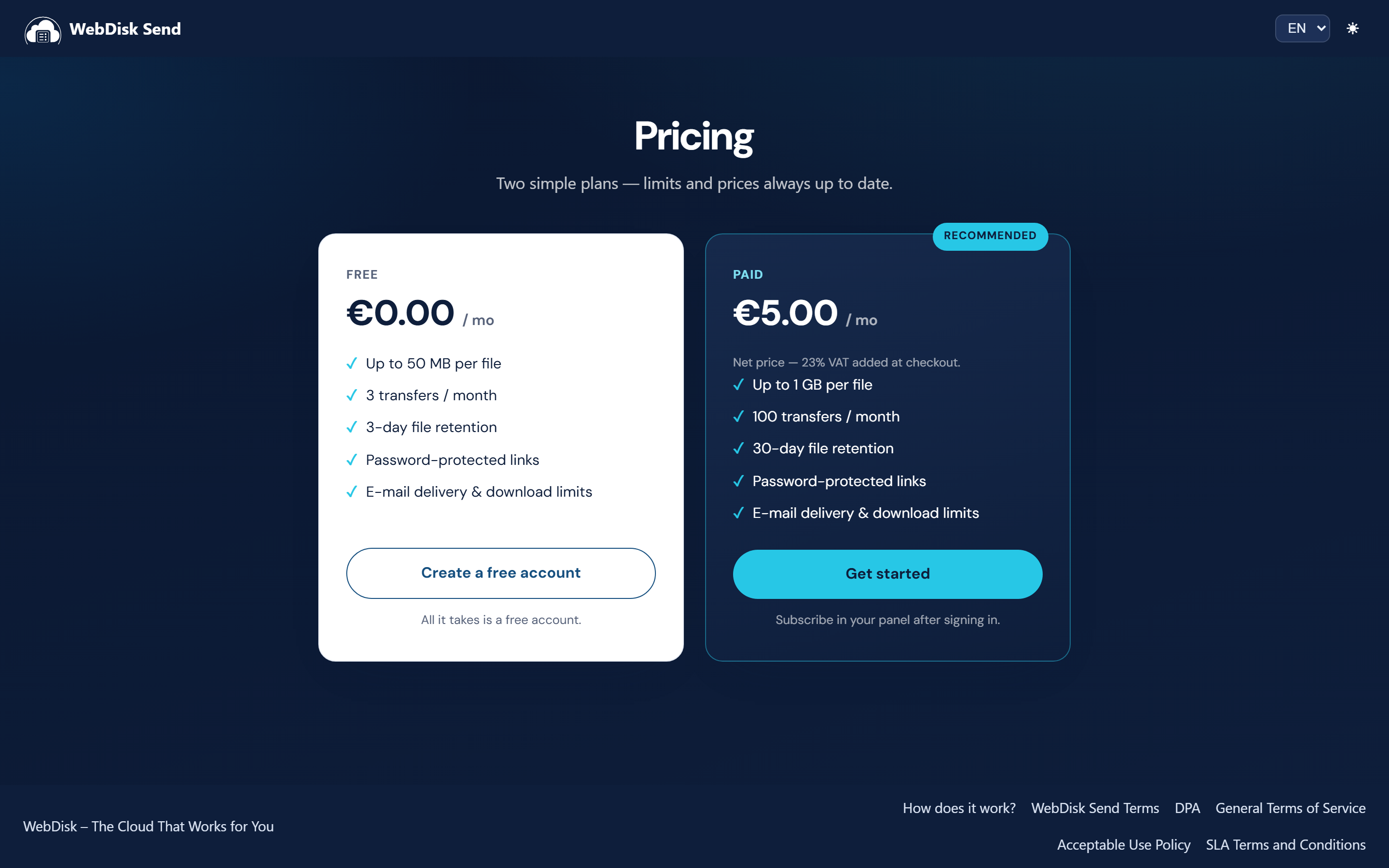
WebDisk Send has two plans: free and paid. They differ in how large a file you can send, how many times recipients can download your files in a month, and how long we keep the files.
¶ The free and the paid plan — side by side
| Free plan | Paid plan | |
|---|---|---|
| Maximum file size | smaller | larger |
| Downloads per month (transfers) | fewer | more |
| How long we keep a file (retention) | shorter | longer |
| Price | no charge | a fixed monthly fee (PLN, EUR or USD) |
💡 The exact figures — file size, number of transfers, number of days and the price — are always up to date on the pricing page (in Polish: send.webdisk.io/pricing). The cards there are called "Free" and "Paid".
The same values — this time for your own account — are shown by the "Subscription" card in the panel. On the paid plan that is the line beginning "Your limits:"; on the free plan the card shows the limits you would get by moving to the paid plan. Your current transfer usage is on the badge in the top bar — next to the plan name there is a counter in the form "used / limit".
¶ "Transfer" = download (this matters!)
In WebDisk Send a "transfer" means a DOWNLOAD of a file by a recipient, not you sending a link.
- You have a monthly download allowance shared by all of your links together.
- Every download by a recipient uses one transfer from your allowance.
- Sending a link uses nothing by itself — it only counts once somebody actually downloads.
- The allowance is counted per calendar month and renews at the start of each one.
💡 For example: you send one link to 3 people and each downloads once — that is 3 transfers, not one.
Once you have used up the monthly allowance, downloads from your links are paused until the beginning of the next month (the recipient sees a message saying the sender has reached their limit). That is a good moment to consider the paid plan — we describe it below.
¶ Retention — files delete themselves
Send is for sending files temporarily, not for storing them. Every file has its own deadline:
- After a number of days that depends on your plan, the file is deleted automatically and its links stop working.
- The free plan keeps files for a shorter time, the paid plan for longer.
- You can see the date in the "Your transfers" card, in the "Stored until" column.
¶ Two different dates on one file
This is the most common misunderstanding, so let us separate them clearly:
| Label in the panel | What it applies to | Who decides it |
|---|---|---|
| Stored until | the file — after this date the file disappears from the server | your plan (retention) |
| Link expires | a single link — after this date the link stops working, the file stays | you, via the "Expires after (hours)" field when creating the link |
If you do not set "Expires after", the link will not expire on its own — it disappears along with the file at the end of the retention period.
⚠️ Deletion at the end of the retention period is irreversible — there is no bin and no copy we could recover the file from. If you need the file for longer, keep your own copy or use WebDisk Files (permanent storage with folders).
¶ Moving to the paid plan
You can switch to the paid plan yourself in the panel, in the "Subscription" card. Payments are handled by Stripe; the higher limits take effect as soon as the payment goes through.
- Scroll down to the "Subscription" card — on a free account you will see the "You're on the free plan" section along with the limits you get after changing plan.
- Choose your billing currency: PLN, EUR or USD.
- Click "Upgrade now" and complete the payment.
- Once paid, the account moves to the higher limits automatically — you will see a thank-you note in the panel.

💡 Plan prices are quoted net — 23% VAT is added at checkout. There is a note to that effect under the price both in the panel and on the pricing page.
The subscription renews every month. On a paid account, the "Subscription" card shows the date and amount of the next charge.
¶ VAT invoices
We issue an invoice after every payment that goes through — but only if you fill in your company details before the payment.
- Click "My profile" in the top bar and find the "VAT invoice" section.
- Tick "I want a VAT invoice" and fill in your NIP / VAT ID and your full address (street and number, postal code, city). Without all of those details we cannot issue invoices.
- Save your changes.
Issued invoices wait in the panel in the "Invoices" card — with the number, the issue date and the gross amount. You download the document with the "Download PDF" button. Next to it is the status of the submission to the Polish national e-invoicing system: "✓ KSeF" means confirmed, "KSeF: pending" means the number will appear once it is confirmed.

⚠️ The condition is checked at the moment of payment. If you tick "I want a VAT invoice" after paying for a subscription, there will be no invoice for that payment — you will get one for the next one.
¶ How to cancel the paid plan
- Open the "Subscription" card in the panel.
- Click "Cancel at period end" and confirm.
- The paid plan stays active until the end of the billing period you have already paid for — only then does the account go back to the free plan. We show the end date in the card.
Changed your mind? Until the end of the paid period the same card offers a "Resume subscription" button, which puts the subscription back on its normal renewal cycle.
¶ When a payment fails
If we cannot collect the fee, the "Subscription" card shows a note about the overdue payment and a 14-day grace period begins:
- during that time the paid plan keeps working, and we send an e-mail reminder every 2 days telling you how many days are left;
- after 14 days the subscription is cancelled and the account returns to the free plan.
⚠️ Going back to the free plan is not only about lower limits: files older than the free plan's storage period will be deleted at the next daily sweep. Before the grace period runs out, download anything you want to keep.
¶ What next?
- Want to send another file? → How to send a file
- Got a question about disappearing files, your account or invoices? → FAQ
- Need a permanent drive with folders and team sharing? → WebDisk Files