¶ WebDisk Files — help
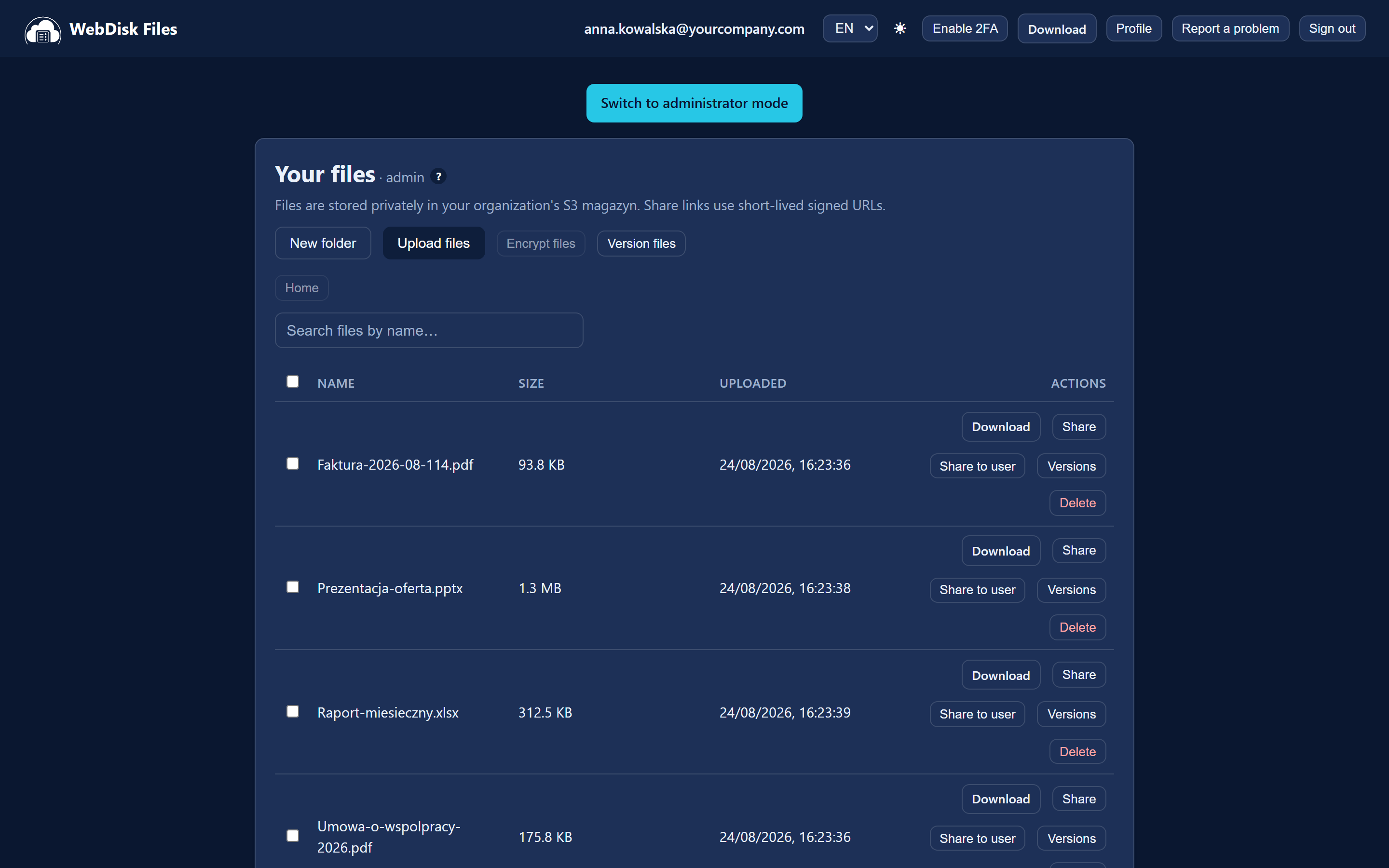
WebDisk Files is your secure drive in the cloud. You upload files through the browser or the desktop app, keep them in folders and share them with other people — as a link anyone can open, or directly with someone in your organisation.
¶ Where to start
- 🚀 Getting started — buying the service, signing in, the panel, uploading your first file.
- 🔗 Sharing files — a link for anyone, or sharing inside your company.
- 🏢 The Organization panel — for whoever bought the service: user accounts, magazyny (storage spaces), encryption, invoices, subscription.
- ❓ Frequently asked questions (FAQ) — space, security, billing, common problems.
¶ In short — what Files can do
| Feature | What it is for |
|---|---|
| Uploading | The "Upload files" button — you can pick several files at once. |
| Folders | Create one with "New folder", then go inside it and upload your files there. |
| Magazyny (storage spaces) | Tabs above the file list — separate spaces for different sets of data. Every magazyn is private until an administrator deliberately makes it public. |
| Share links | A link for anyone — optionally with a password, a lifetime in hours and a download limit. |
| Sharing inside the company | The "Share to user" button — gives access to one specific person in your organisation. |
| File versions | With "Version files" switched on we keep up to 3 versions of every file; you restore an older one yourself. |
| Desktop app | Keeps a folder on your computer in sync with the cloud (like Dropbox). |
| Encryption | The transfer always runs over HTTPS. Encrypting the files on the server is optional — you have to switch it on deliberately. |
| Anti-Ransomware | A magazyn in which files are locked for a period you choose — nobody can change or delete them. |
| Auto-rotation | A magazyn that permanently deletes files by itself after a set number of days. |
| S3 access | An endpoint and keys for your own tools (rclone, aws-cli, a NAS backup) — in the Organization panel. |
¶ What you will not find in Files
These are the questions that most often reach us as support tickets — better to know up front:
- There is no recycle bin. A deleted file disappears immediately and there is nowhere you can get it back from yourself. Your safety net is versioning, switched on beforehand.
- You cannot rename or move files and folders once they have been uploaded.
- There is no in-browser file preview — you get the file with the "Download" button.
- Drag and drop into the browser window does not work — you pick files with the "Upload files" button.
- There is no list of what you have shared inside the company. The panel only shows what somebody has shared with you. To cut somebody's access off you have to delete the file itself, or ask that person to remove the entry on their side.
💡 Not sure where to begin? Go to Getting started. If you are the person who bought the service, look at the Organization panel first — that is where every new company account begins.