¶ WebDisk Send — frequently asked questions (FAQ)
¶ Account and signing in
Do I need an account to send a file?
Yes. Sending requires an account — on the sign-in screen click "Don't have an account? Create a free one", give your e-mail and a password, repeat it and accept the WebDisk Send Terms, then click "Create account". After you register we send a message with an activation link.
And does the recipient need an account?
No. The person you send the link to simply clicks it and downloads the file — they register for nothing and install nothing.
I didn't get the activation e-mail (or the link no longer works).
The activation link is valid for 24 hours. There is no separate "resend" button — fill in the registration form again with the same address and we will send a new link. Check your spam folder too. Until the address is confirmed, uploading files and sending links are blocked.
I've forgotten my password.
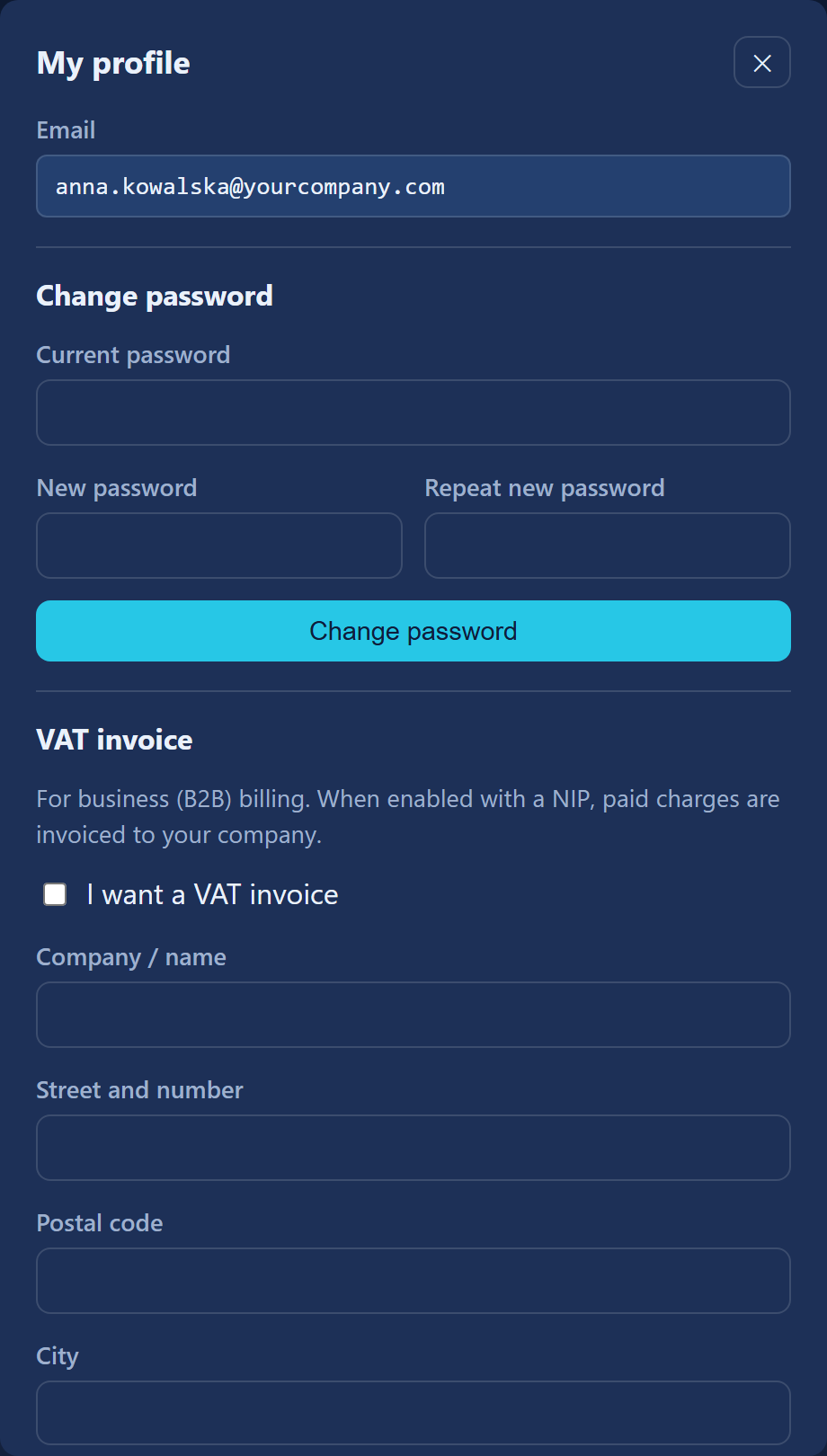
On the sign-in screen click "Forgot your password?" and enter your e-mail — we will send a link for setting a new one. The link is valid for 72 hours. You can also change your password after signing in, in the "My profile" dialog → "Change password".
I can't create an account — I'm getting a rejection message.
We protect registration against automated sign-ups, so:
- your browser goes through a short automatic check (you will see the message "Verifying your browser…") — if it fails, refresh the page;
- we do not accept disposable addresses or domains that mail cannot be delivered to;
- we do not create accounts from anonymising networks (Tor, some VPNs) — try from an ordinary connection;
- there is one account per mailbox (in Gmail, dots and
+aliases still mean the same mailbox).
If you still need an account despite all this, write to support@webdisk.io.
I already have an account with another WebDisk service.
It is one WebDisk account for the whole family of services. When signing in you will be offered "Use this account", and if you do not have the Send service yet — a "Create a Send account" button. If your passwords differ between services, the panel will ask whether you want to use one password for all WebDisk services.
What is two-factor sign-in (2FA) and where do I switch it on?
It is an extra layer of protection: after your password you enter a one-time 6-digit code from an app on your phone (Google Authenticator, for example). Click "Enable 2FA" in the top bar of the panel, scan the QR code with your authenticator app and confirm with a code — the "Verify & enable" button.
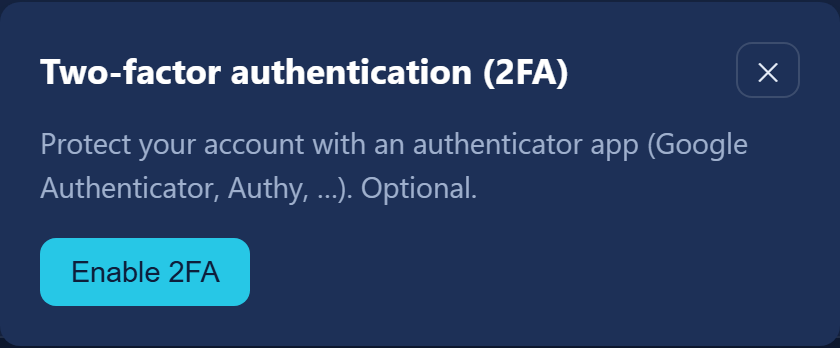
⚠️ We do not generate backup codes, and 2FA covers your whole WebDisk account (every service in the family). If you lose your phone, write to support@webdisk.io.
The panel is asking me to accept some documents.
When a new version of the Terms or of the Data Processing Agreement (DPA) is published, we show a "Please review and accept" dialog. Open each document in the list and click "Accept all" — until you do, the panel stays locked.
Why was I signed out?
Your session expires after an hour of inactivity — simply sign in again.
What languages does Send come in?
The panel and the public pages are available in Polish, English, Ukrainian and German; you switch language in the top bar. Our messages arrive in the language chosen on your account. Next to the language switcher there is also a light/dark theme switcher (dark by default).
¶ Files and sending
How large a file can I send?
It depends on your plan — we state the maximum size on the "Send a file" card. Files upload in chunks, so large ones get through too. If you hit the limit, you will see a message with the maximum size — that is when the paid plan helps.
My upload broke off halfway — do I have to start from scratch?
No, as long as you pick exactly the same file (same name, size and modification date). The remembered progress is valid for 7 days.
Can I add a message for the recipient?
No — there is no field for a note of your own. The recipient gets a standard WebDisk message with the file name and a download button. Whatever you want to add yourself, send separately.
How many link e-mails can I send?
At most 30 messages a day from one account and 3 messages a day to any one recipient mailbox. On top of that, sending only works once your own e-mail address is confirmed. You can always copy the link and pass it on yourself instead.
How do I revoke a link I've sent, or delete a file straight away?
In the "Your transfers" card, in the file's row: "Revoke" invalidates the link (the file stays), while "Delete" removes the file together with its links. Both take effect immediately and cannot be undone. Details: How to send a file.
My file has disappeared — why?
That is by design: Send is for sending files temporarily, so every file is deleted automatically after a number of days that depends on your plan (retention). You can see the date next to the file in the "Stored until" column. Details: Plans and limits. If you need the file for longer, use WebDisk Files.
Can I recover a deleted file?
No — deletion (whether at the end of the retention period or via the "Delete" button) is irreversible. Keep your own copy of anything important.
I've used up my monthly download allowance.
In Send a "transfer" means a download of a file by a recipient, and the allowance is monthly and shared across all of your links. Once it is used up, downloads are paused until the beginning of the next month. The paid plan gives you a larger allowance.
¶ Plan, payments and invoices
Where do I find my invoice?
In the panel, in the "Invoices" card — via the "Download PDF" button. For invoices to be issued at all, tick "I want a VAT invoice" in the "My profile" dialog and fill in your NIP / VAT ID and full address before paying. Details and KSeF statuses: Plans and limits.
How do I cancel the paid plan?
In the "Subscription" card click "Cancel at period end". The paid plan runs to the end of the period you have paid for; before that you can change your mind with the "Resume subscription" button.
A payment failed — what happens now?
You get a 14-day grace period (we send a reminder e-mail every 2 days), after which the account returns to the free plan. Note: once back on the free plan, files older than the free plan's storage period will be deleted. Before the grace period runs out, download anything you want to keep — more in Plans and limits.
What currency do I pay in?
You can choose PLN, EUR or USD — you pick the currency in the "Subscription" card before paying. Prices are quoted net; 23% VAT is added at checkout.
¶ Your account: closing it and your data
How do I close my account?
Click "My profile" in the top bar, scroll down to the "Close my account" section and use the "Close account…" button. Your profile, files and shares are permanently removed 30 days after the request.
I've changed my mind — can it be undone?
Yes, within those 30 days. Sign in, open "My profile" and click "Cancel deletion" — the account stays active. After the deadline the data cannot be restored.
I'd like a copy of my data (GDPR).
The "My profile" dialog has an "Export my data (GDPR)" section with a "Request export" button. We will prepare a metadata.json file with your profile, your share links along with their recipients, your transfer history and a listing of the files in your storage. The contents of the files themselves are not included — you already have those. You can request one export every 7 days, and the download link is valid for 14 days.
I have a question about personal data.
Write to iod@webdisk.io — that is the address of our Data Protection Officer.
¶ Security
Are my files safe?
The connection is encrypted (HTTPS) and we store files on our own infrastructure in Europe. You can protect any link additionally with a password, a number of hours until it expires and a download limit, and your account with two-factor sign-in (2FA).
How do I restrict who can download a file?
When creating the link, set a "Password (optional)" (the recipient enters it before downloading) and, if you need them, "Max downloads (optional)" and "Expires after (hours, optional)". Once it expires or reaches the limit, the link stops working by itself. You can also always revoke a link by hand with the "Revoke" button.
¶ Something isn't working
The page won't load / I get an error while uploading.
Refresh the page and try again. If the problem keeps coming back:
- from the panel — click "Report a problem" in the top bar, enter a subject, describe the problem and attach a screenshot if it helps (JPG or PNG, up to 5 MB). We will confirm that the report has been received and reply by e-mail to your account address;
- without signing in — write to support@webdisk.io (the address is also on the sign-in screen and on the service's home page);
- if you suspect an outage — check the current state of our services at status.webdisk.io.
¶ What next?
- Want to send a file? → How to send a file
- Questions about plans, downloads, retention and invoices? → Plans and limits
- An overview of the service and the feature table → WebDisk Send
- Need a permanent drive with folders? → WebDisk Files