¶ WebDisk VM — help
WebDisk VM is the simplest way to get your own server in the cloud (a VPS). You use sliders to choose how much power you need, you pay — and a few moments later you have a ready-made machine that you sign in to like any other computer on the internet. There is no account to create up front: you place the order straight away and set your portal password once you have paid.
💡 A VPS (Virtual Private Server) is simply a computer in the cloud that runs 24 hours a day and is yours alone. Use it for your own website, a game server, a VPN, or somewhere to learn to code.
¶ Where to start
- 🚀 Order and launch a VPS — ordering without creating an account first, choosing resources with sliders, paying, and the automatic launch.
- 🔧 Access and management — how to connect (SSH, the browser console) and what you can do in the panel.
- ❓ Frequently asked questions (FAQ) — SSH keys, backups, invoices, payment deadlines and common problems.
¶ What the panel looks like
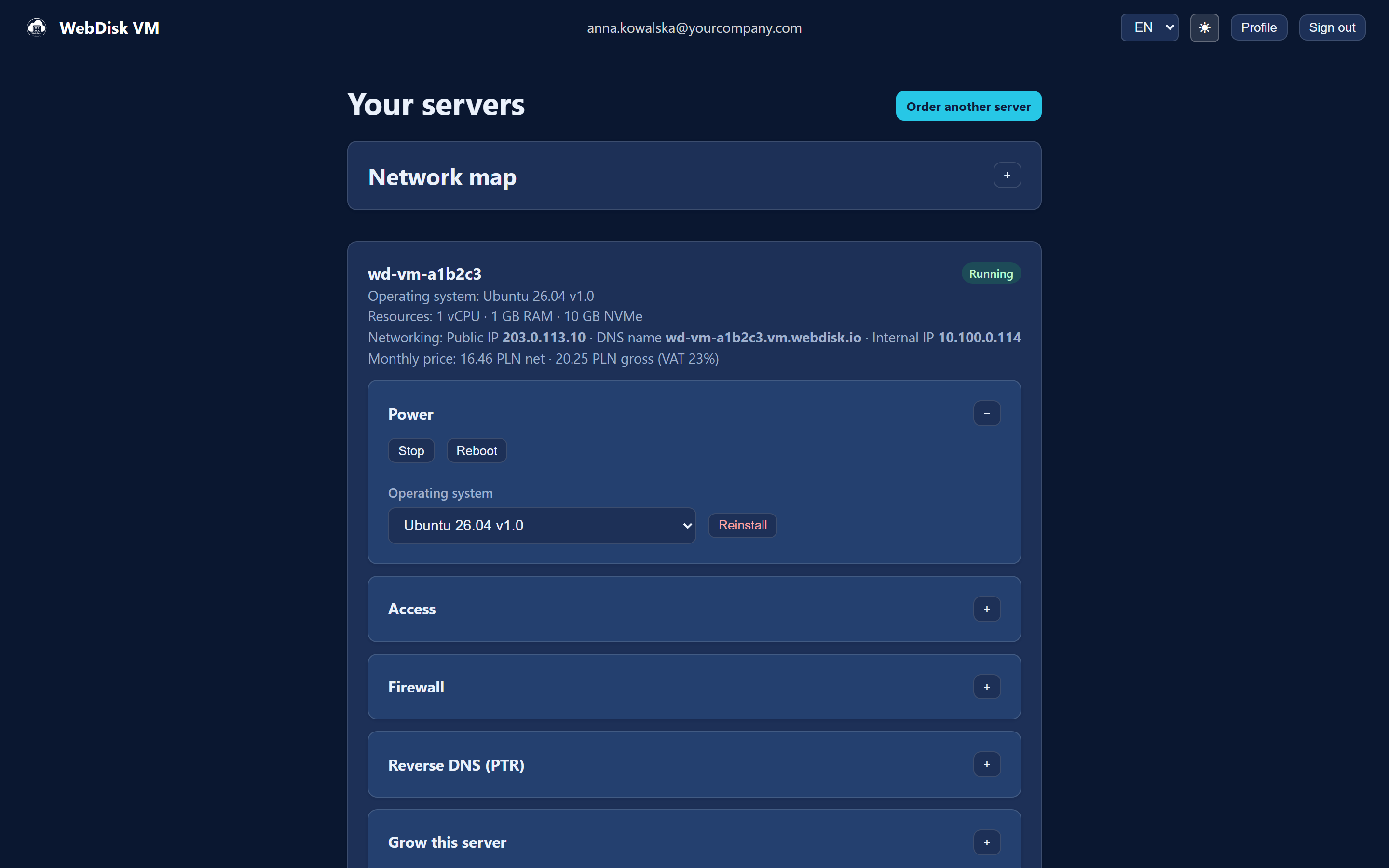
After signing in you land on the "Your servers" page: the "Order another server" button at the top, the "Network map" below it, and then a card for each of your servers. At the foot of the page sit the sections shared by the whole account: "Invoices", "Report a problem" and "SSH key". Account settings (password, billing details, two-factor sign-in) open from the top bar, in the "Profile" window.
¶ At a glance — what WebDisk VM can do
| Feature | What it is for |
|---|---|
| Ordering without creating an account first | You place the order and pay; you set your portal password from a link we email you. |
| A ready-to-run machine | Sliders set the processor, memory and fast NVMe disk — the price recalculates live. |
| Automatic launch | Once paid, the server builds itself, with no waiting for a human. |
| SSH access | One SSH key for the whole account — it goes onto every new server. |
| Browser console | The server's screen opens in a new tab whenever you would rather not use SSH. |
| Control from the panel | "Start", "Stop", "Reboot" and "Reinstall" in the "Power" section, and "Reset password" in the "Access" section. |
| Resizing a running server | In "Grow this server" you change vCPU, RAM and the system disk — with no data to move. |
| Public IP address | The first server gets an address included; for later ones you either buy one or give it up in the panel. |
| Firewall | You decide which ports (and from which addresses) are reachable from the internet. |
| Extra disks | Add roomy HDD disks for your data — up to 10 per server by default. |
| Snapshots (backups) | Daily automatic copies plus your own manual ones — restore with a single click. |
| Network map | A diagram showing how your servers reach the internet and which ports they have open. |
| Load at a glance | A live reading of processor, memory, disk and network on the server card. |
| Private network | Your servers see each other on internal addresses; other people's do not. |
| Invoices in the panel | VAT invoices for companies, downloadable as PDF. |
| Two-factor sign-in (2FA) | Extra protection for your account with a code from an app on your phone. |
⚠️ A stopped server is still billed — the resources stay reserved for you. To stop paying, cancel that server's subscription. Details in the FAQ.
💡 Not sure where to begin? Go to Order and launch a VPS.